
Encountering error code 80072efe when attempting to update Windows 7 can be frustrating. This error typically occurs when your computer fails to find new updates. Fortunately, there are steps you can take to resolve this issue. This guide outlines the process to fix Windows 7 update error 80072efe.

Understanding the Error
The 80072efe error code is often related to problems with Windows Update services or corrupted temporary update files. By ensuring the relevant services are running correctly and managing the update files, you can potentially resolve this error.
Steps to Fix Windows 7 Update Error 80072efe
Follow these steps to address the update error:
1. Verify Services
Ensure that the necessary Windows Update services are running and set to start automatically.
Step-by-Step Instructions:
- Press the Windows key + R to open the Run dialog box.
- Type
services.msc(without quotes) and press Enter to open the Services window. - Locate the following services: Windows Update, Background Intelligent Transfer Service (BITS), and Cryptographic Services.
- For each service:
- Right-click on the service and select Properties.
- Set the Startup type to Automatic.
- Ensure the Service status is set to Running. If it’s not, click Start.

2. Delete the SoftwareDistribution Folder (Optional)
This step involves deleting temporary update files stored in the SoftwareDistribution folder. This action can resolve issues with corrupted files but should be performed with caution.
Step-by-Step Instructions:
- Close the Services window.
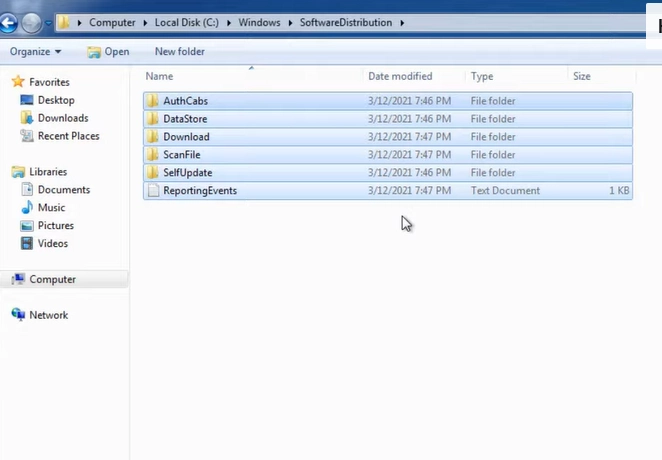
- Open File Explorer.
- Navigate to
C:\Windows\SoftwareDistribution. You may need to enable “Show hidden files and folders” in Folder Options to see this folder. - Right-click on the SoftwareDistribution folder and select Delete. You may need administrative privileges to perform this action.
3. Restart Your Computer
After verifying services and potentially deleting the SoftwareDistribution folder, restart your computer. Windows will automatically recreate the SoftwareDistribution folder upon restart.

Final Steps
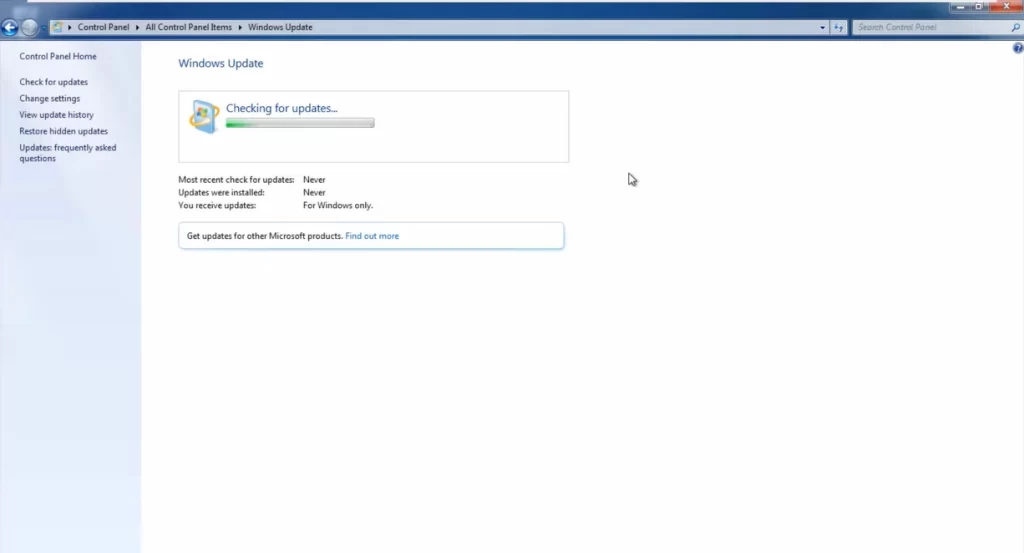
Once your computer has restarted, run Windows Update again to check if the error is resolved.
Why this types of error 80072efe in Windows 7?
The error code 80072efe in Windows 7 updates can occur due to connection issues, corrupted update files, or because Windows 7 is no longer supported. Try troubleshooting your internet connection or corrupted files. However, consider upgrading to a supported OS as Microsoft ended extended support for Windows 7 in January 2020.
What is the most popular Windows 7 Operating system?
There were six editions of Windows 7, but only three were commonly available for retail key purchase: Windows 7 Home Premium, Professional, and Ultimate. Here’s a breakdown of these editions.
- Windows 7 Home Premium: This edition was designed for home users and offered a good balance of features for everyday tasks. It included features like Media Center for watching and recording TV, and Aero for a visually appealing interface.
- Windows 7 Professional: This edition was geared towards small businesses and offered additional features for networking and security, such as Encrypting File System and the ability to join a domain.
- Windows 7 Ultimate: This edition was the most comprehensive version of Windows 7 and included all the features of the Home Premium and Professional editions, as well as additional features for enthusiasts and businesses, such as BitLocker Drive Encryption and Multilingual User Interface.
Conclusion
By verifying that essential services are running and managing the temporary update files, you can often resolve the Windows 7 update error 80072efe. If the problem persists, you can download Windows 7 updater consider seeking further assistance from Microsoft’s support resources. Regular maintenance and updates can help prevent such issues in the future.


One Response